One device. Many jobs.
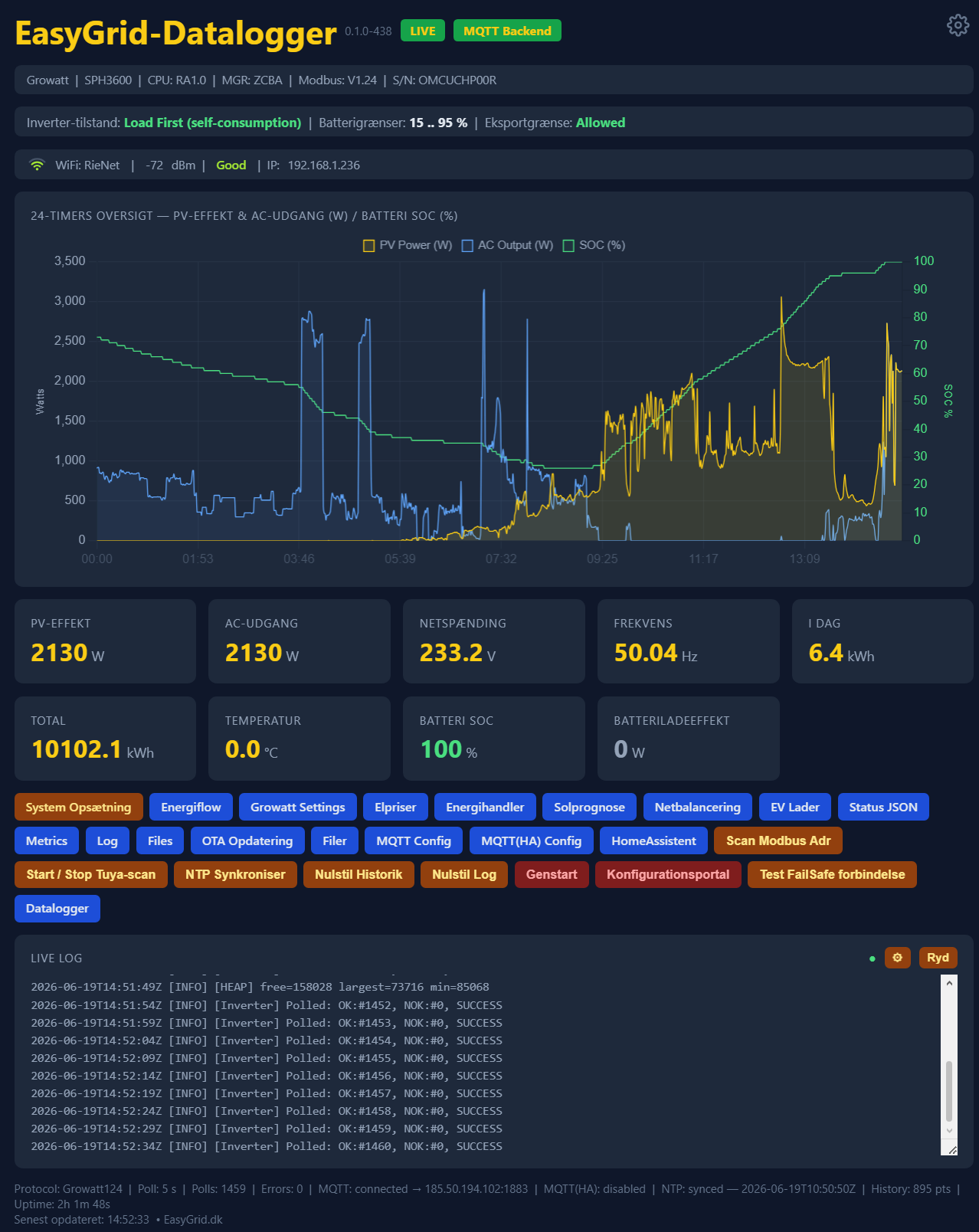
Dashboard
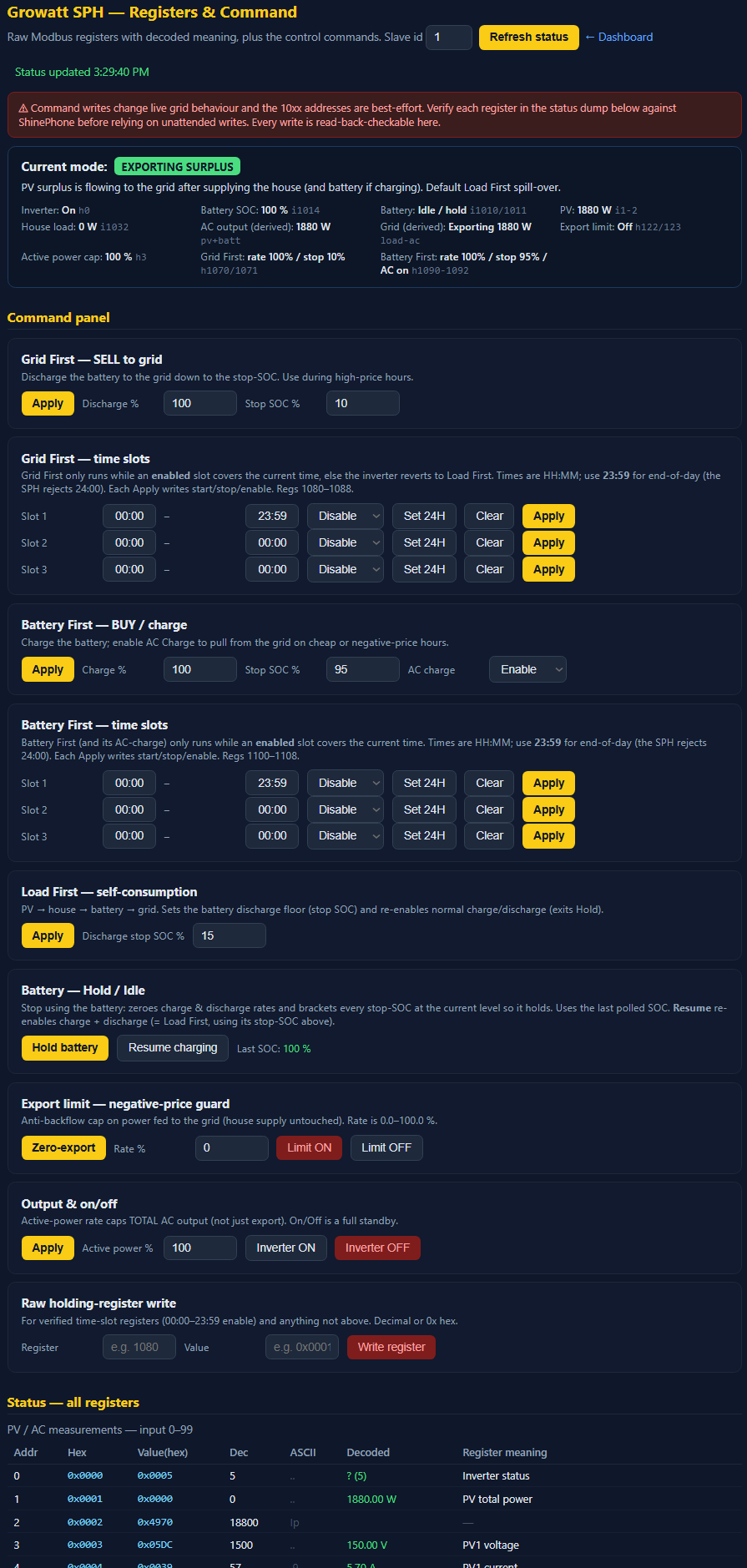
Your whole system, live, at a glance. Open EasyGrid.local in any browser - no app. Live PV power, AC output, grid voltage, frequency, today’s and lifetime energy, battery SOC, plus a zoomable 24-hour chart. It auto-identifies your inverter (brand, model, firmware, serial).
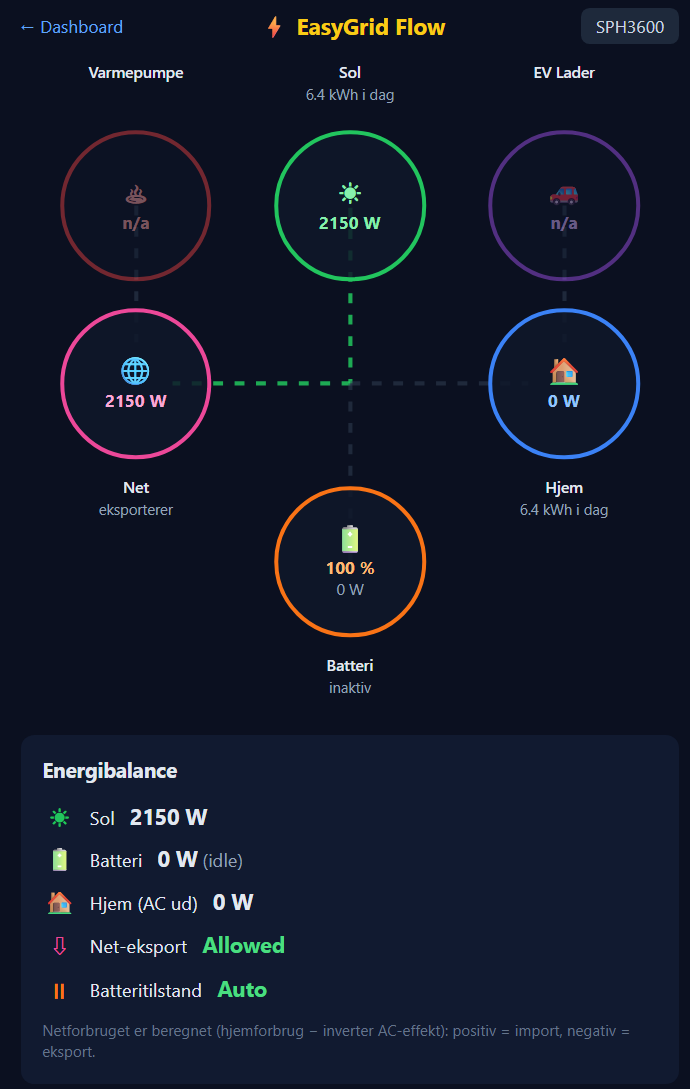
Energy Flow
An animated flow diagram showing energy move between Solar → Battery → Home → Grid → EV in real time. One look tells you whether you’re charging the car from the sun, selling surplus to the grid, or pulling from the battery after dark.
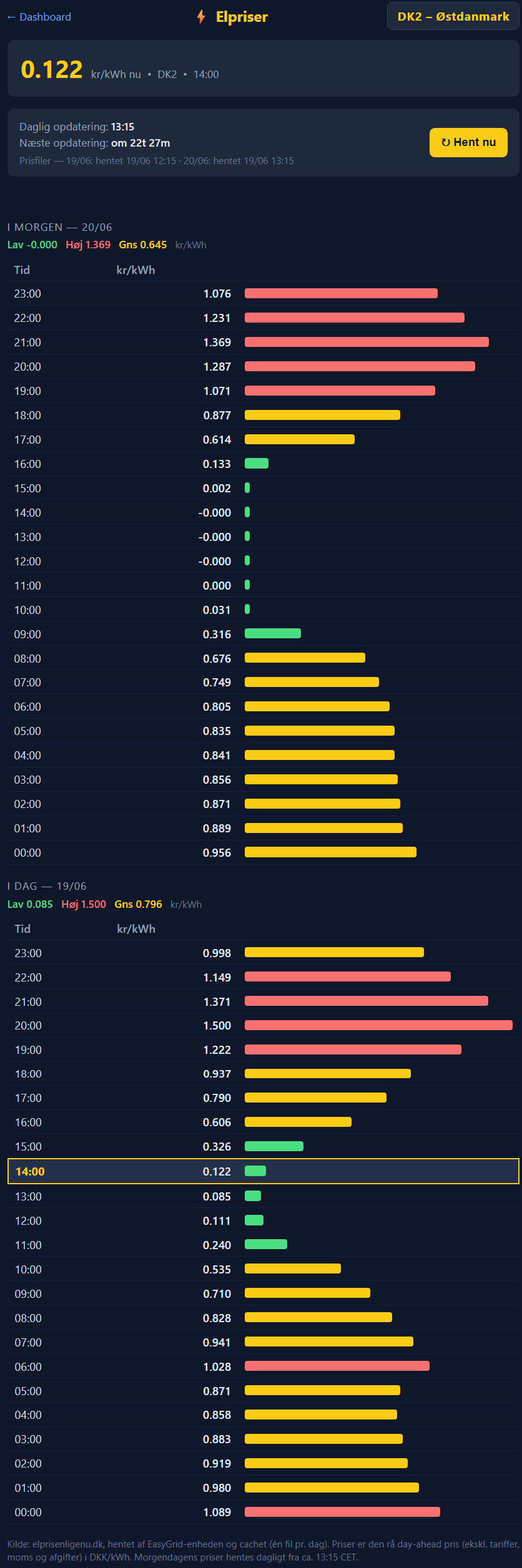
Elpriser
Live Danish day-ahead spot prices for DK1 and DK2, today and tomorrow, fetched and cached by the device itself. A colour-coded badge (green = cheap, red = expensive) sits on the dashboard so the current hour’s price is always in front of you.
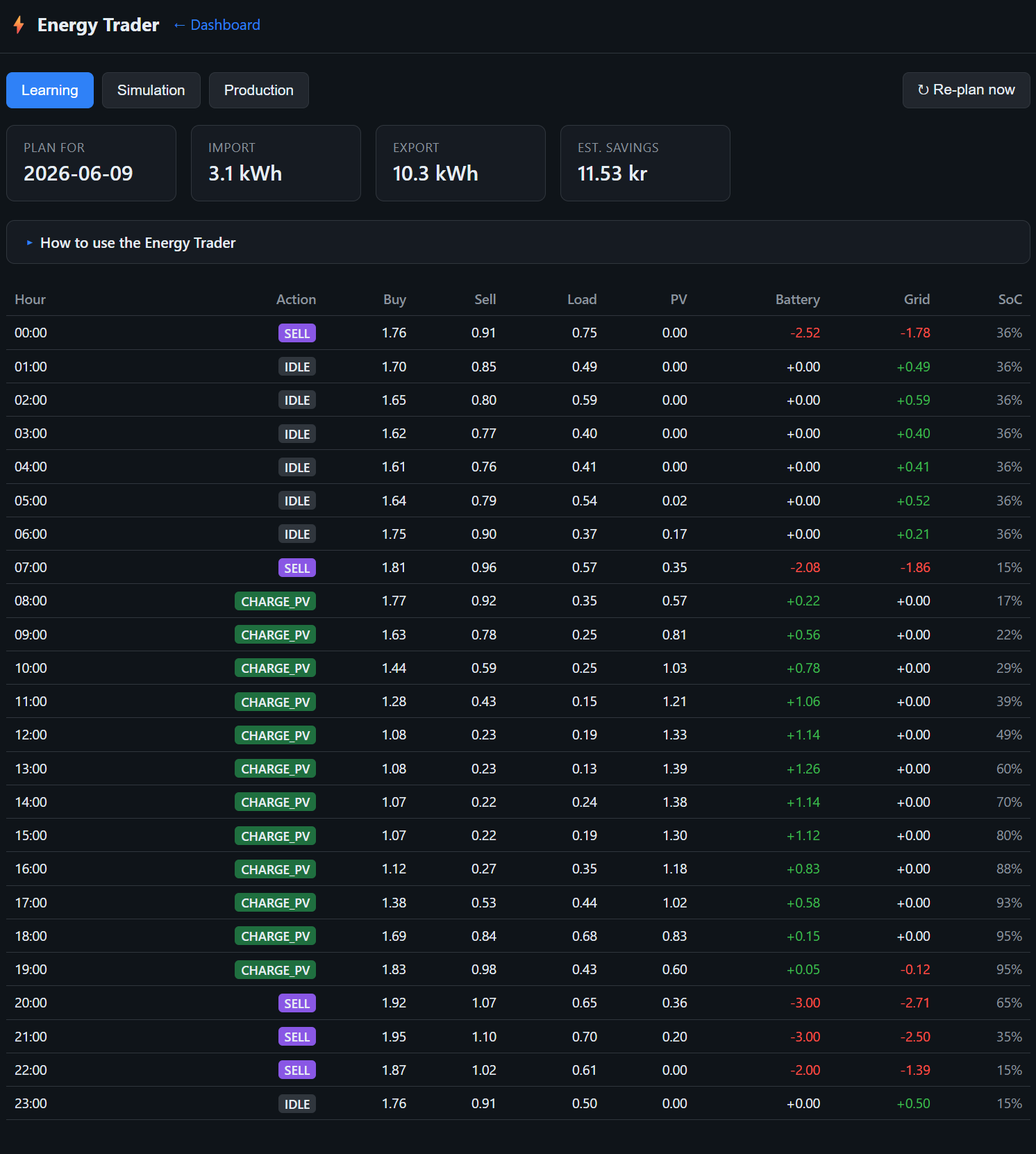
Energy Trader
The heart of the machine. It builds a 24-hour plan: when to charge the battery from cheap grid power, when to hold, discharge or export. It runs Learning → Simulation → Production so you can watch it prove itself - and it tracks your real import, export and savings.
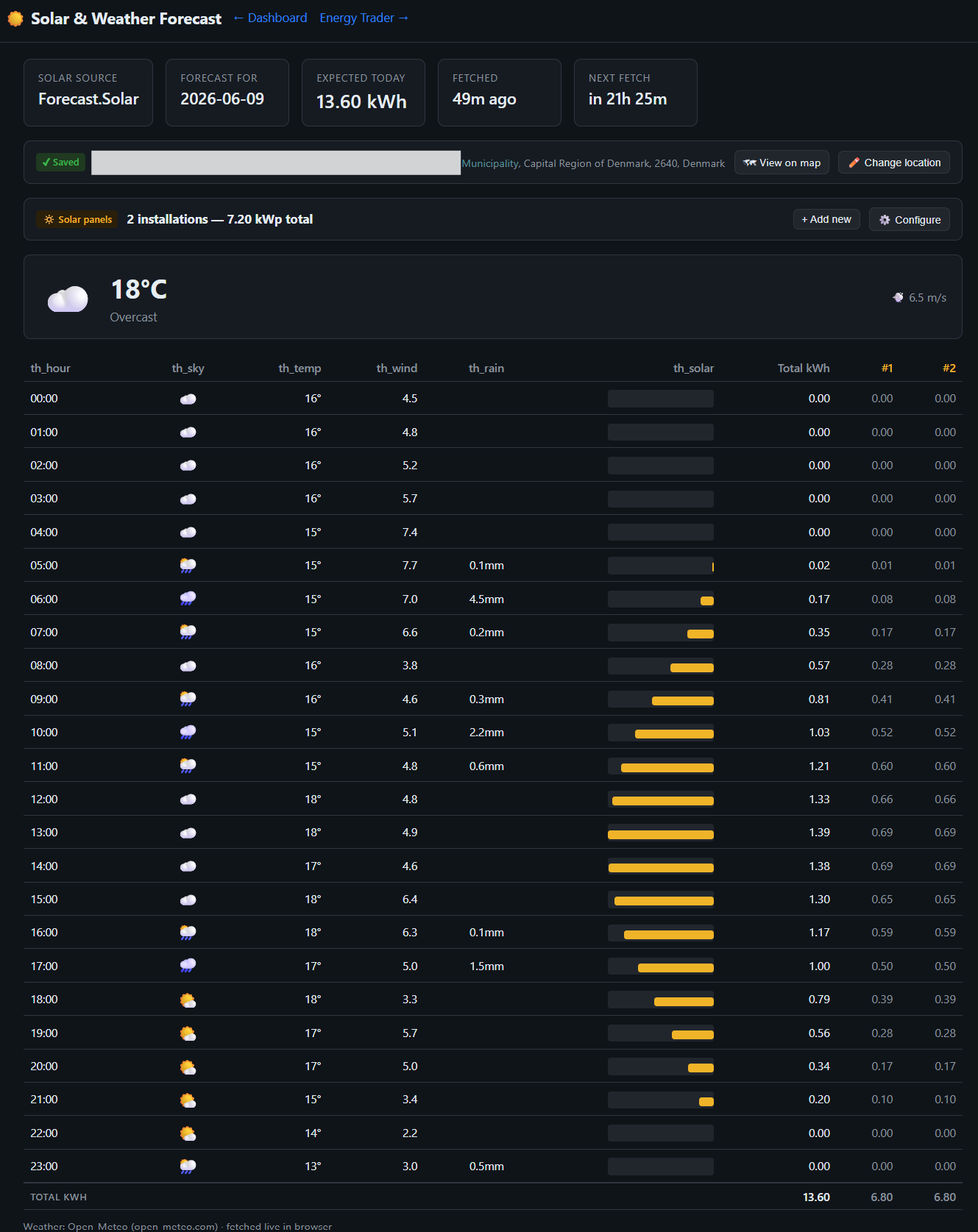
Solar Forecast
Pulls a PV production forecast (Forecast.Solar + Open-Meteo weather) for your roof, your coordinates, your panel setup. The Trader uses it to decide how much grid charging you actually need - so you never pay to fill a battery the sun would have filled itself.
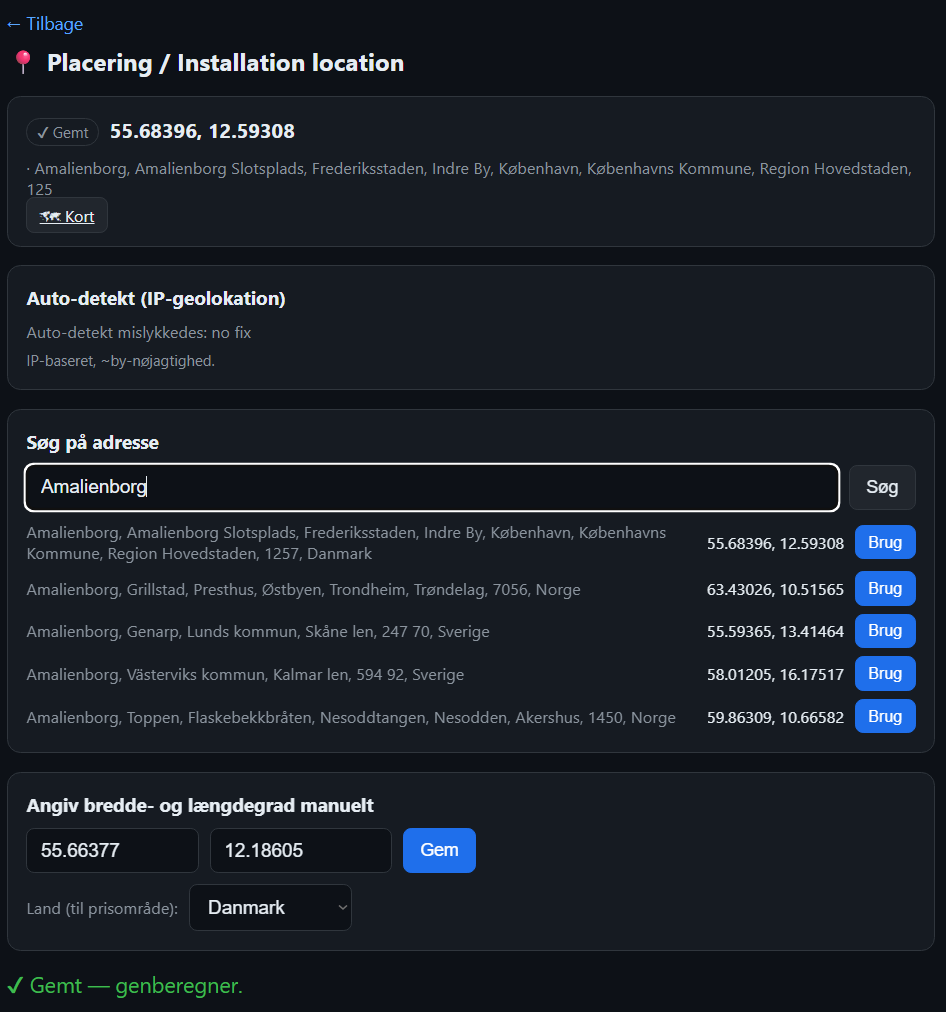
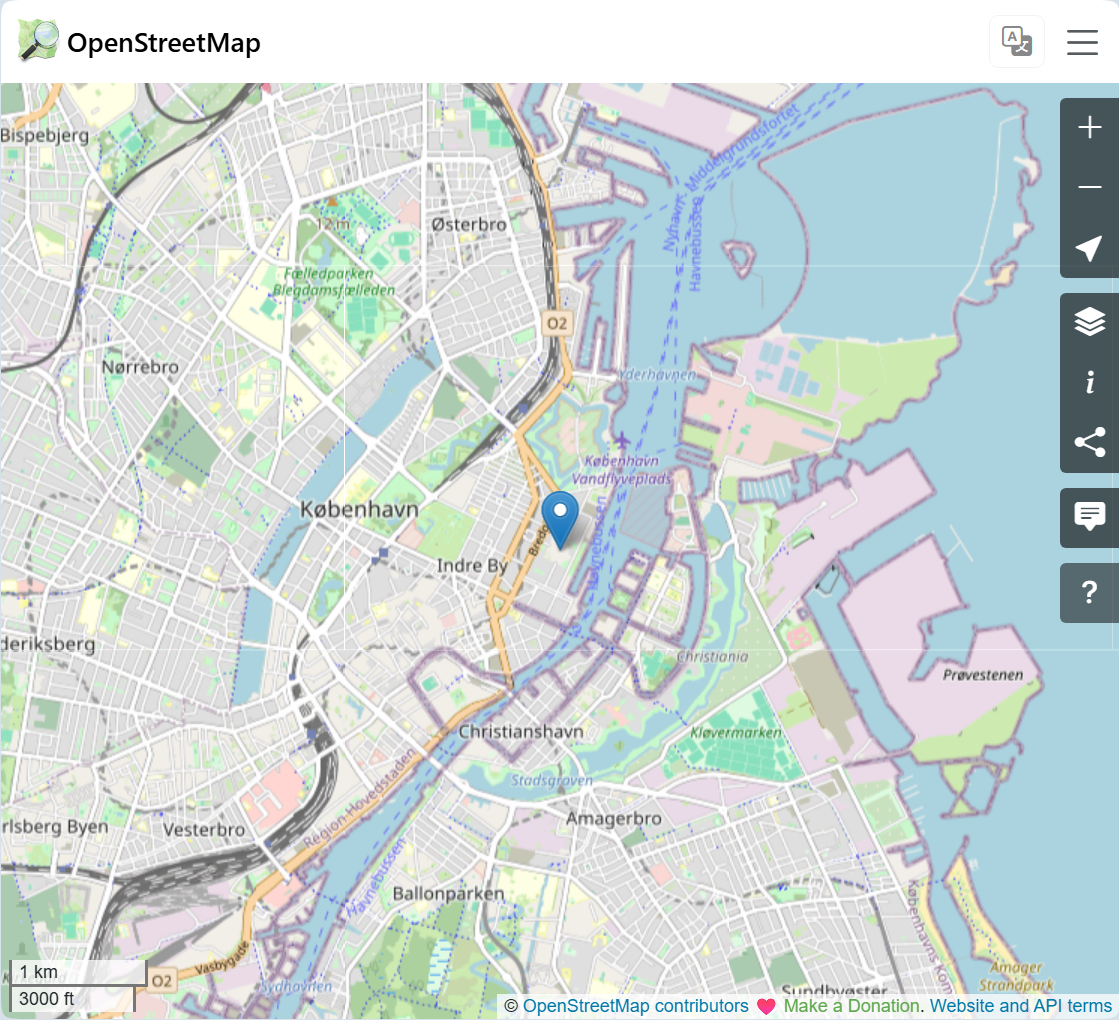
Pinpoint location & map
The solar forecast is only as accurate as your location. Type in your address and the device geocodes your coordinates automatically - then you can verify them on an interactive map before they are used. The more precise the location, the sharper your solar forecast.
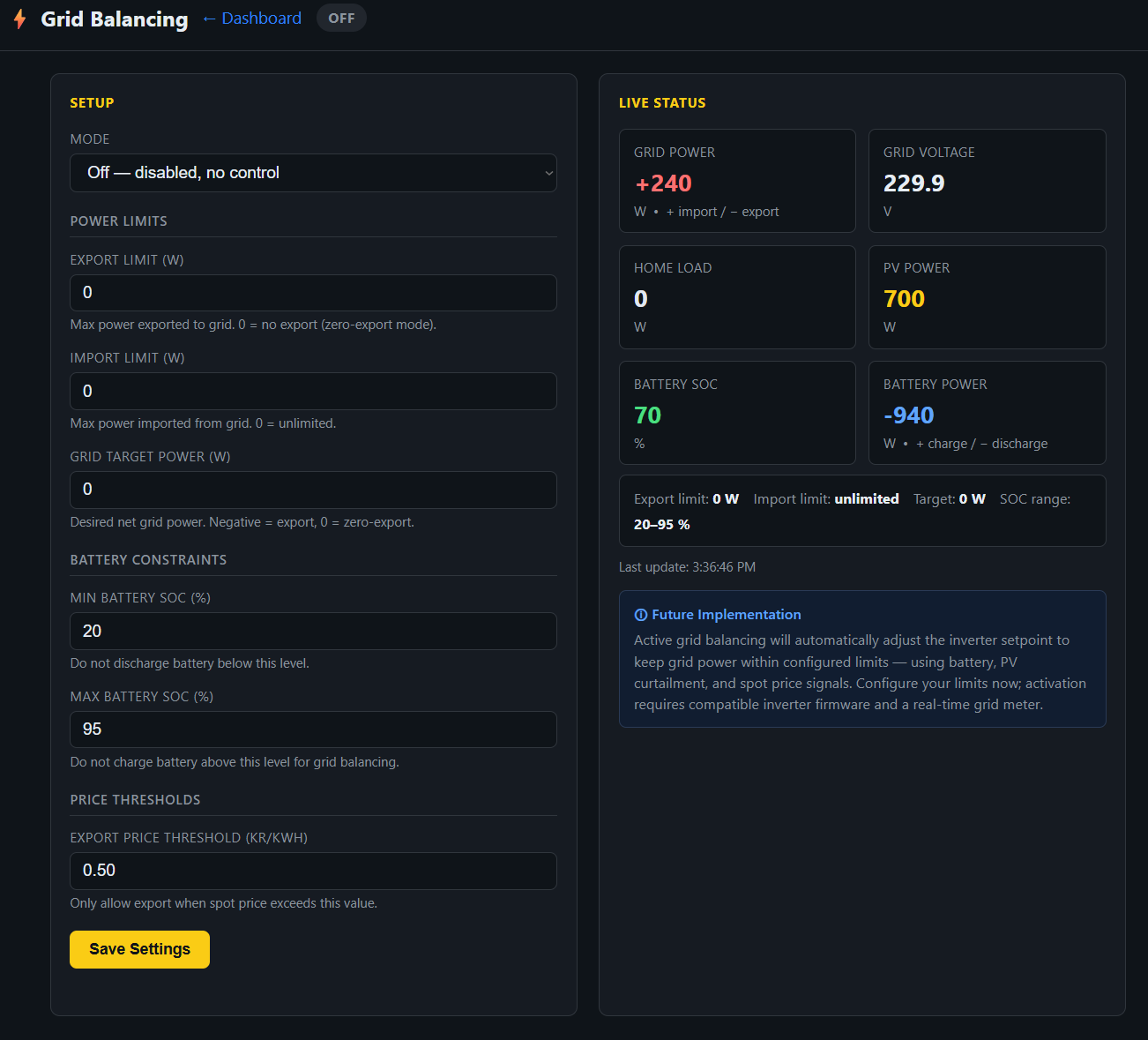
Grid Balancing
Let your battery earn money while it just sits there. Sign up, and your battery helps keep the grid stable - you get paid for making the capacity available.
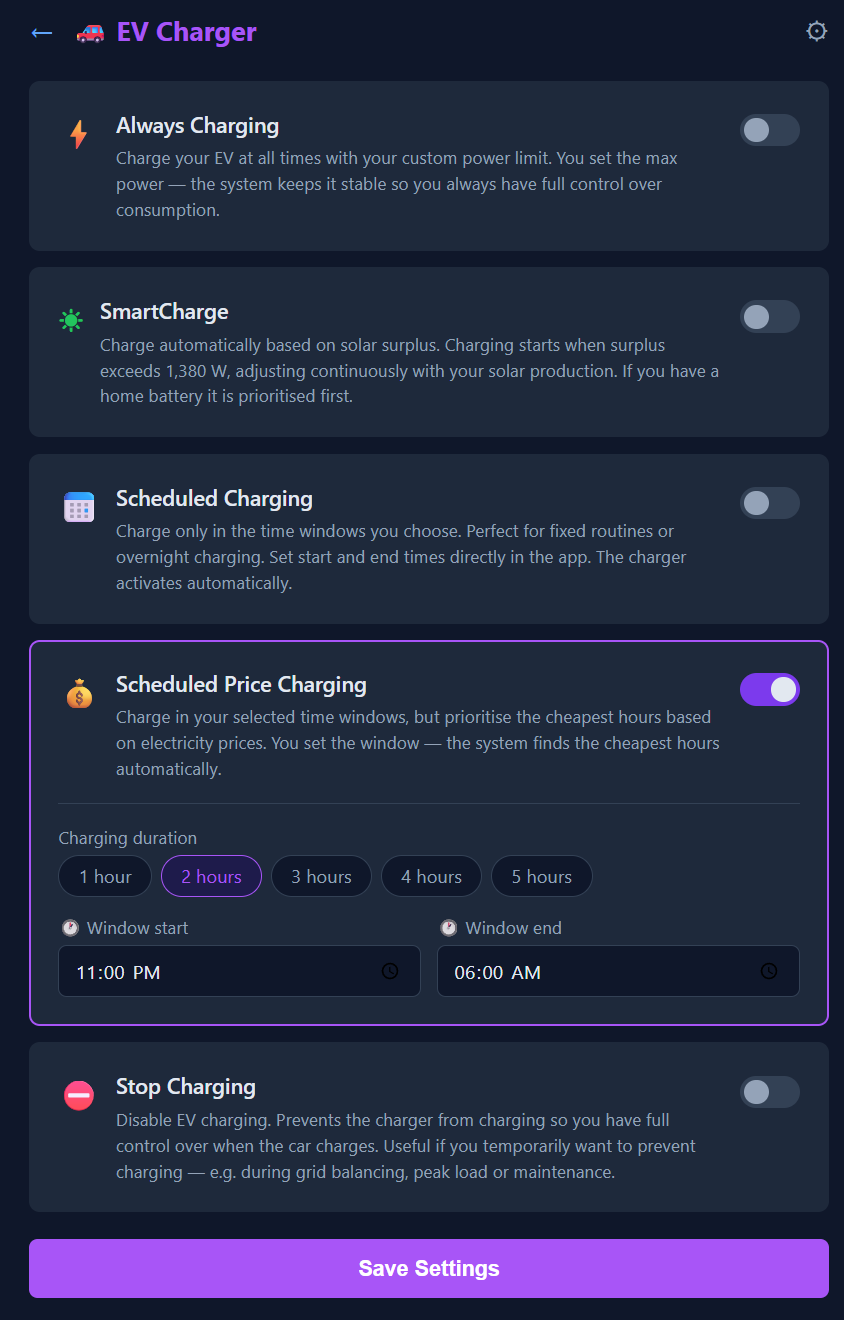
EV Charger
Charge only on solar surplus, only in the cheapest hours, on a schedule, or flat-out on demand. Works with Easee, Zaptec, Wallbox Pulsar, go-e, Tesla Wall Connector, Solplanet Apollo and Alfen - cloud or local. Set it once; it charges the car the cheapest, greenest way without you thinking about it.
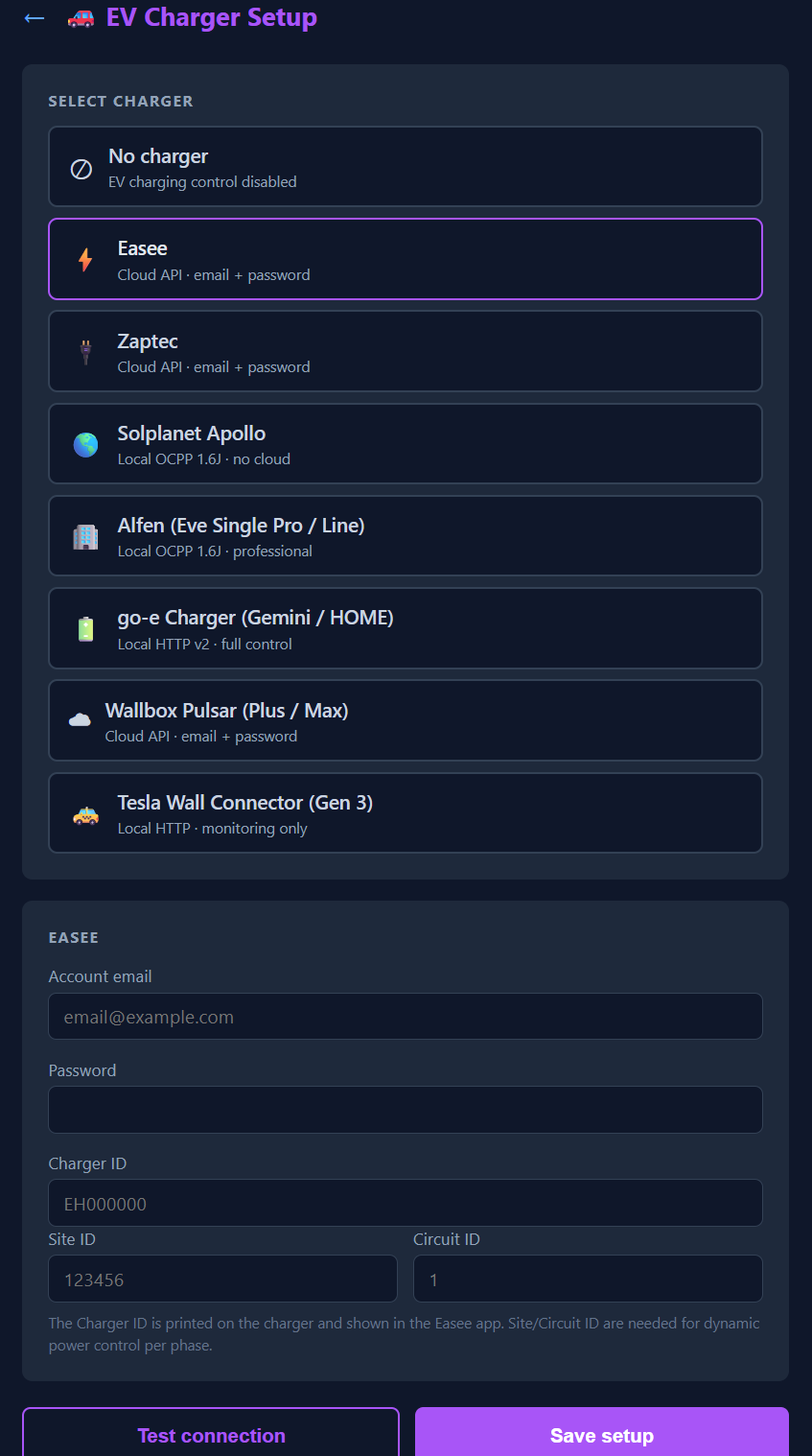
Supported EV chargers
EasyGrid talks directly to your charger - in the cloud or locally on your own network. Pick your brand, enter the connection, and the device controls charging by sun and price. Local OCPP and HTTP chargers run entirely without any cloud.
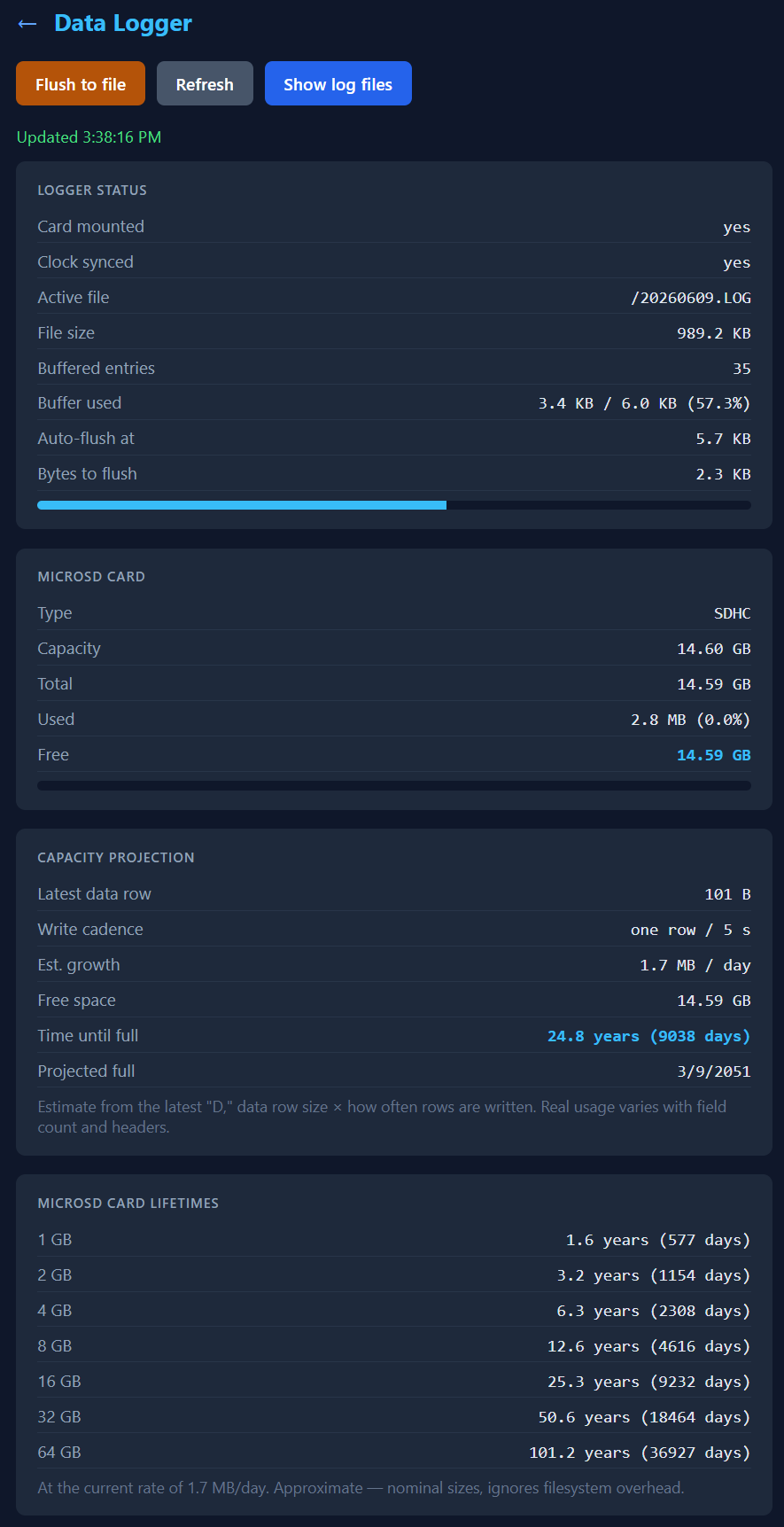
Datalogger - your lifetime archive
Data ownership done right. Every poll - one sample every 5 seconds - is written to a microSD card that lives in the device and belongs to you. Not the cloud. Self-organising files, survives power cuts, and a 16 GB card holds over 15 years of 5-second data (~94.6 million samples, ~9.5 GB).
Heat Pumps Coming soon
Soon EasyGrid will also control your heat pump - running it when power is cheapest and the sun is shining. Schedule space heating and hot water around electricity prices, weather and your solar surplus, and let the heat pump become an active part of your energy management. This feature is under development.